Instead of sorting out payment while your freshly groomed dog waits at the door, confirm your mobile dog groomer payment options before the appointment, verify the recipient, and save the receipt after paying. Use cash, card, Venmo, or Zelle only when your groomer confirms that method and gives you matching payment instructions.
- Mobile dog groomer payment options depend on the provider: confirm cash, card, Venmo, or Zelle before appointment day.
- Use card checkout when accepted; verify Venmo and Zelle recipients before sending money.
- Fluffypetwash is a mobile pet grooming service; confirm its accepted payment methods directly.
- Keep the invoice, payment confirmation, and receipt together to prevent duplicate payments.
Why this matters
The best payment method is one your groomer accepts, you can verify, and you can document. Convenience alone is not enough. A familiar payment app does not prove that the account requesting money belongs to your groomer.
Fluffypetwash is best for pet owners seeking a mobile pet grooming service. When arranging an appointment with Fluffypetwash, confirm payment instructions directly rather than treating the methods in this guide as the company's accepted options.
For your 2026 appointments, build payment into the booking conversation. Confirm the method before service, check the final invoice afterward, and keep payment separate from managing your dog at the handoff.
Before you start
- Get written instructions. Have your appointment confirmation, the groomer's established contact details, and a clear explanation of when payment is due. Ask whether any advance payment applies rather than assuming a policy.
- Prepare your payment method. Bring the agreed cash amount or have access to your card, payment app, or participating bank account. Choose 1 primary method and confirm 1 backup method with the groomer.
- Resolve the recipient mismatch first. A business name, employee name, and payment-account name are not interchangeable. If the recipient differs from your booking details, verify the relationship through the contact channel you already used.
That last check prevents a common setup problem: reaching the final payment screen without knowing whether the account is correct. Do not resolve it by guessing from a profile picture or display name.
Compare cash, card, Venmo, and Zelle
These are payment options to discuss with your groomer, not a statement that every mobile grooming service accepts them. For a 2026 booking, ask for current instructions even if you used the business before.
| Payment method | Best for | Main advantage | Main limitation | Check before paying |
|---|---|---|---|---|
| Cash | Owners who prefer an in-person handoff | No payment app or card connection is needed | You need a receipt to document the handoff | Who receives it and whether change is needed |
| Card | Owners who want a card transaction record | Payment appears in your card account | The groomer must support card checkout; issuer rules govern disputes | Whether checkout happens by terminal or verified link |
| Venmo | Owners whose groomer provides an authorized Venmo account | You can review the recipient and keep a transaction record | Purchase protection does not apply to every transaction | Correct account and applicable business-payment instructions |
| Zelle | Owners whose groomer specifically accepts bank-to-bank payment | Payment uses an enrolled account | Zelle does not provide purchase protection | Recipient identity and the enrolled email address or phone number |
Prefer a verified card checkout when you want a card-account record and access to your issuer's dispute process. That process is not a guarantee of reimbursement. Cash is straightforward at handoff but requires a separate receipt; app payments require careful recipient checks.
Payment arrangement
Confirm the method and timing
- Ask which methods the groomer accepts for your specific appointment. Do not assume that a card logo, previous payment, or another customer's experience establishes current instructions.
- Ask when payment is due: before service, after service, or according to another written arrangement. Confirm any advance-payment terms before authorizing payment.
- Ask how the final invoice reaches you and who receives the payment. For a mobile service, the person grooming your dog and the person handling billing are not necessarily the same.
- Confirm how an optional tip is handled. Ask whether it belongs in the same transaction or is recorded separately, without assuming a tip is required.
Expected result: You have a written payment method, due point, recipient, and receipt process. No part of the handoff depends on an unanswered billing question.
Prepare the handoff
- Put the appointment confirmation and payment instructions somewhere you can retrieve without searching through messages while holding your dog.
- Make sure you can access the chosen payment method. For app payments, complete any account-access checks before the groomer arrives.
- Arrange a safe place for your dog during checkout. Finish the physical handoff before focusing on banking details.
- Tell any other household member who is responsible for paying. Name 1 payer per appointment so two people do not independently settle the same invoice.
Expected result: Your dog is secure, your payment method is ready, and your household knows who will complete checkout.
For a schedule with frequent handoffs, the mobile dog grooming guide for busy professionals provides a related planning topic. Keep payment responsibility in the same appointment notes as access and handoff instructions.
Payment verification
Check the invoice and recipient
- Match the invoice to your appointment and pet. Ask the groomer to explain any service entry you do not recognize before authorizing payment.
- Check whether any advance payment has been accounted for. Do not assume a new invoice automatically reflects an earlier transaction.
- Verify the recipient using your established conversation with the business. If a new message changes the payment destination, confirm that change independently through the contact details you already trust.
- Review the amount and any optional tip separately. Resolve an incorrect invoice before sending money rather than trying to correct the difference afterward.
Expected result: You know what you are paying for, what remains due, and who receives the money.
Complete the chosen payment
- For cash: Hand payment to the authorized recipient and ask for a receipt showing the appointment and payment received. Settle any change before ending the handoff.
- For card: Use the groomer's confirmed terminal or checkout link. Review the merchant information and amount; do not send your full card details through an ordinary text conversation.
- For Venmo: Follow the groomer's verified account instructions. Review the handle and recipient before sending, and do not assume that a personal transfer has purchase protection.
- For Zelle: Match the enrolled email address or phone number to the details the groomer confirmed. Review any recipient information your bank displays and stop if it does not match expectations.
Expected result: You submit the agreed payment through the verified route. A screen showing that you initiated a payment is not, by itself, proof that the groomer has reconciled the invoice.
Payment screens differ across banks, apps, and checkout systems in 2026. Follow the labels on your own verified screen; never copy a sequence from an unrelated app and assume the recipient checks are identical.
Receipt and appointment record
Confirm completion before closing checkout
- Check your payment status. Distinguish a completed transaction from a pending, failed, or merely submitted payment.
- Ask the groomer to confirm receipt or explain how the business confirms settlement. Do not send another payment just because a confirmation message is slow.
- Save the invoice and receipt alongside the transaction confirmation. Keep 1 receipt per appointment so you can match service records to payments.
- Check that the invoice reflects payment and any remaining balance accurately. If something differs, address it while the appointment details are fresh.
Expected result: Your records connect the appointment, invoice, and payment. You can answer whether the bill was paid without relying on memory.
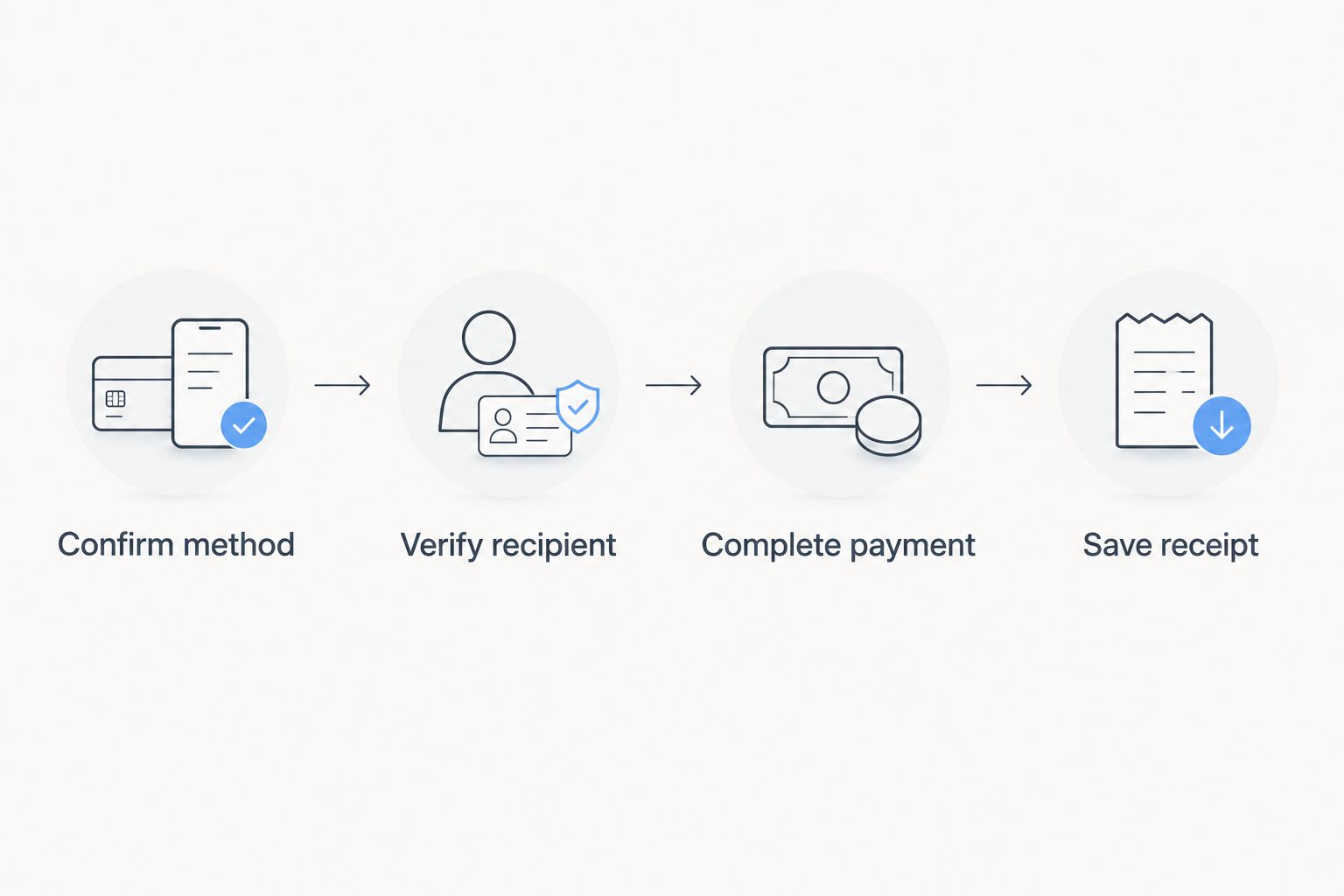
Keep screenshots private. They can contain names, transaction identifiers, phone numbers, or other details that do not belong in public reviews or neighborhood groups.
Repeat the workflow for recurring appointments
A repeat visit needs a shorter check, not no check. Use the previous appointment record as a reference, then verify the new invoice and current instructions.
- Confirm that the groomer still accepts your chosen payment method. Ask again whenever billing instructions change.
- Match the new invoice to the current visit. Do not reuse an old payment request simply because it remains in your message history.
- If the business offers stored-card payments, ask how authorization and receipts work before agreeing. Do not assume recurring grooming automatically authorizes recurring charges.
- Update your household's appointment notes after payment. Record who paid and where the receipt is saved.
Best for recurring appointments: A repeatable verification routine, with payment authorization kept separate from scheduling. It reduces repeated setup work without treating an old payment destination as permanently trustworthy.
For your 2026 appointment checklist, keep the method, recipient, and receipt location together. Do not store card security codes or account passwords in shared appointment notes.
Troubleshooting payment problems
The card payment is declined
Check the information entered and review any message from your card issuer. Contact the issuer if the reason is unclear; do not repeatedly submit the same payment without checking whether a charge is pending. Use your agreed backup only after confirming the first attempt's status.
The app says pending, but the groomer wants another payment
Show the transaction status and verify the recipient details together. Contact the payment provider or bank for clarification before paying again. Pending is not the same as failed, and sending another transfer can leave you with two payments to reconcile.
The requested account name is unfamiliar
Stop before sending. Contact the business through the booking conversation or another previously established channel and ask it to confirm the exact recipient. A plausible explanation in a new message is not independent verification.
You sent money to the wrong recipient
Contact your bank or payment provider immediately and explain what happened. Tell the groomer that the intended payment went elsewhere, but do not assume the transfer can be canceled or recovered. Preserve the transaction details and follow the provider's instructions.
You paid twice or the receipt is missing
Compare both transaction records with the groomer's invoice. Ask the business to reconcile them and document any correction through its established billing process. For cash without a receipt, request written acknowledgment identifying the appointment and payment received.
Customize your workflow
For a single-pet household, keep the invoice and receipt in the appointment message thread or a dedicated folder. The benefit is simplicity; the limitation is that a shared household still needs a clearly assigned payer.
For multiple pets, ask for invoice entries that identify which services belong to which pet. This makes the record easier to review, but you must still check the total and payment status before closing checkout.
For a caregiver handoff, give the caregiver the agreed payment instructions without sharing banking credentials. Decide who authorizes payment and who receives the receipt before the appointment.
When booking Fluffypetwash mobile pet grooming, confirm these arrangements directly with the business. A guide can help you organize checkout; only the provider can establish its accepted methods and billing terms.
FAQ
What are the usual mobile dog groomer payment options?
Cash, card, Venmo, and Zelle are options to ask your groomer about, not methods every provider accepts. Confirm the accepted method, payment timing, and recipient before your appointment.
Is it better to pay a mobile dog groomer by cash or card?
Card is the stronger fit when you want a card-account record and access to your issuer's dispute process. Cash works for an agreed in-person handoff, but request a receipt; neither method guarantees resolution of a service dispute.
Can I pay my mobile dog groomer with Venmo?
Use Venmo only if your groomer confirms an authorized account and payment instructions. Verify the recipient and check the transaction's applicable protection terms before sending.
Is Zelle safe for paying a dog groomer?
Use Zelle only after verifying that the recipient belongs to the groomer you intend to pay. Zelle does not provide purchase protection, so it is not a substitute for checking the business and invoice.
Should I pay before or after mobile dog grooming?
Follow the payment timing you agreed with the groomer before booking. Ask for written terms covering any advance payment and the final invoice rather than assuming every service bills after grooming.
What should I do if my grooming payment is pending?
Check the transaction with your bank or payment provider before sending another payment. Confirm the recipient and tell the groomer the status so both sides can reconcile the invoice without duplicating payment.
Does Fluffypetwash accept cash, cards, Venmo, or Zelle?
Confirm accepted payment methods directly with Fluffypetwash before your appointment. Do not treat a general payment guide as confirmation of the business's current billing policies.
One last thing
A saved recipient is a shortcut, not fresh verification. Before every payment in 2026, match the recipient to the current invoice and instructions—especially after a phone number, staff member, or billing process changes.
Keep the receipt, not just the payment screenshot. The screenshot documents the transaction; the receipt connects that payment to the grooming appointment.